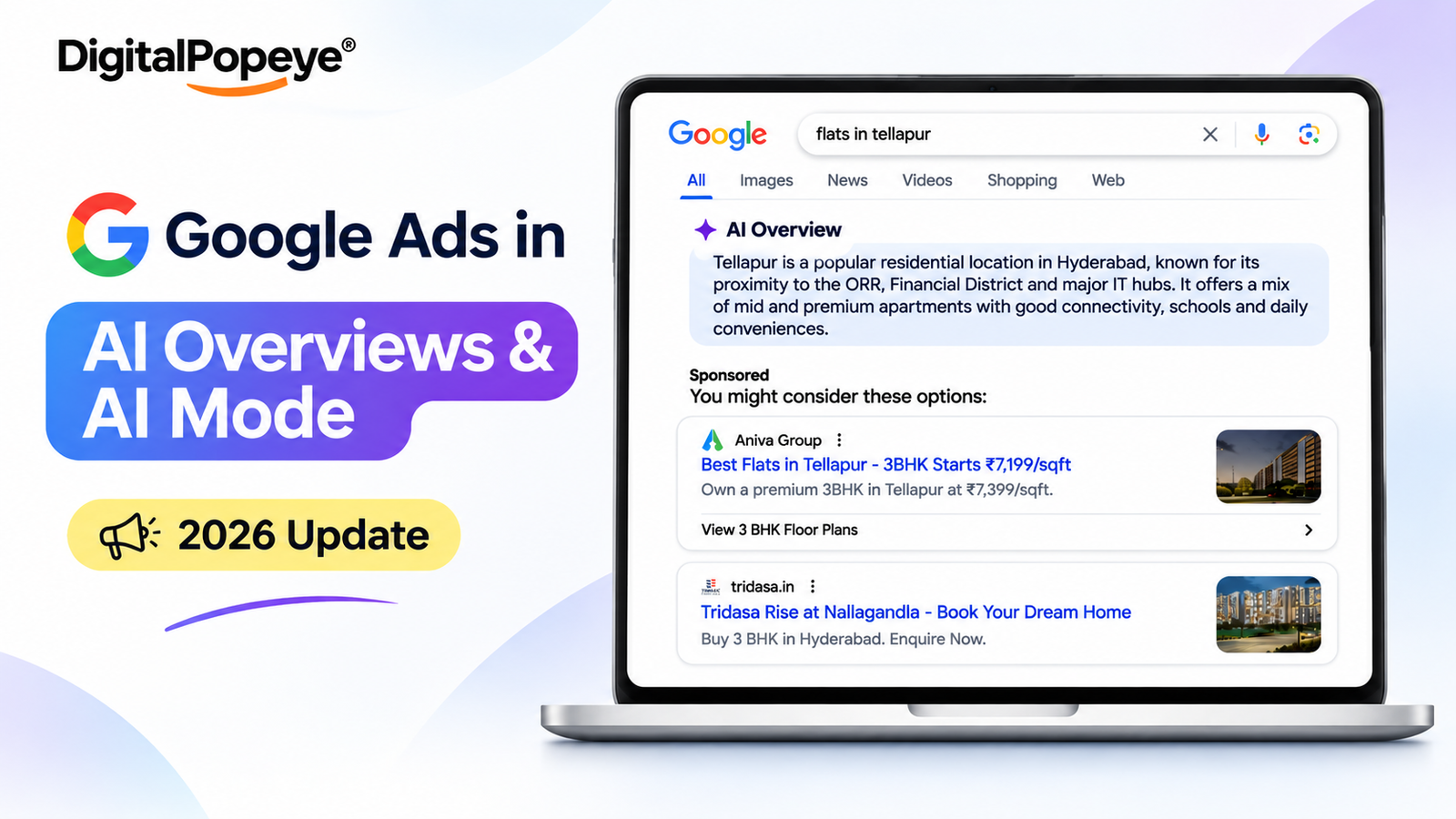
Google Ads in AI Overviews & AI Mode: What Advertisers Need to Know
Google is bringing advertising into more AI-powered Search experiences. Relevant ads can appear within or alongside AI Overviews and AI Mode, giving businesses another way to connect with people as they research, compare options and explore solutions. The important point for advertisers is that there is no separate campaign setup: eligible existing Search, Shopping and Performance Max campaigns can participate when relevant.
In this guide, we explain where these ads can appear, which campaigns and formats are eligible, how Google matches ads to direct and exploratory searches, what advertisers can control, how performance is reported and what practical steps can help campaigns perform well.
Key takeaways
- Eligible Search, Shopping and Performance Max campaigns can participate automatically; advertisers do not need a separate campaign or dedicated budget.
- Text ads and Shopping ads can appear in AI Overviews and AI Mode.
- Google can match ads directly to a query or contextually to the query and the AI-generated response.
- AI-powered targeting—including AI Max for Search, broad match, Shopping and Performance Max—is eligible for both direct and contextual matching.
- Exact and phrase match keywords are eligible for direct commercial-intent matching, but not contextual matching on broader exploratory questions.
- Existing campaign controls, including negative keywords and asset pinning, continue to apply.
- Performance is included in standard campaign reporting and the Search terms report in aggregate.
What are ads in Google AI Overviews and AI Mode?
Google Search now offers AI-powered experiences that help people understand topics, explore options and ask more complex questions. When a search or conversation has commercial relevance, relevant advertisements may appear within or alongside the AI-generated response in clearly labelled Sponsored sections.
The exact presentation can vary as Google tests and refines ad layouts. Standard Search ads may also continue to appear above or below an AI Overview, as they do alongside other Search results.
AI Overviews vs. AI Mode: what is the difference?
| Experience | What it does | Advertising opportunity |
| AI Overviews | Provides an AI-generated snapshot on the Search results page. | Relevant ads may appear within or alongside the overview. |
| AI Mode | Supports more conversational, multi-turn exploration and follow-up questions. | Relevant ads may appear within or alongside AI responses, including across follow-up questions. |
For advertisers, the key distinction is the user journey: AI Overviews provide a snapshot, while AI Mode supports a continuing conversation. In both experiences, ads are shown only when Google determines that they are relevant.
Which Google Ads campaigns are eligible?
Advertisers do not need to create new campaigns or set up separate budgets specifically for AI Overviews or AI Mode. Existing eligible campaigns automatically participate in the Google Ads auction when relevant.
| Campaign type | Eligibility |
| Search campaigns | Eligible |
| Shopping campaigns | Eligible |
| Performance Max campaigns | Eligible |
Eligibility does not guarantee an impression. Whether an ad appears depends on relevance and the Google Ads auction.
Which ad formats can appear?
Google’s supplied advertiser guidance identifies text ads and Shopping ads as eligible formats in AI Overviews and AI Mode. Google is also experimenting with other formats, including local inventory ads and vehicle ads. These experiments should not be treated as a guarantee of availability.
Ads are clearly labelled Sponsored and visually distinguished from organic AI content. Depending on the experience and layout, sponsored options may be presented in different visual arrangements. The format and position can evolve as Google tests the experience.
How does Google match ads to AI-powered searches?
Google describes two matching approaches: direct query matching and contextual matching.
1. Direct query matching
Direct matching applies when the user’s search already expresses clear commercial intent. For example, someone searching for “pool vacuum cleaners” is directly looking for a product category. Google can match relevant ads to that query in a way similar to standard Search advertising.
2. Contextual matching
Contextual matching considers both the user’s query and the AI-generated response. For example, someone might ask why a pool has turned green and how to clean it. The AI response may discuss water testing, brushing, vacuuming and algae treatment. Google may then show relevant ads for pool vacuum cleaners or algae treatment kits, even though the original question did not name those products.
This is the key change for advertisers: commercial relevance can emerge from the context of an exploratory question, not just from a short product-focused keyword.
Which targeting methods support direct and contextual matching?
| Targeting method | Direct query matching | Contextual matching |
| AI Max for Search | Yes | Yes |
| Broad match keywords | Yes | Yes |
| Shopping campaigns | Yes | Yes |
| Performance Max | Yes | Yes |
| Phrase match keywords | Yes, for direct commercial intent | No |
| Exact match keywords | Yes, for direct commercial intent | No |
AI-powered targeting can make campaigns eligible for both matching approaches. Exact and phrase match remain useful for direct commercial searches, but they are not eligible for contextual matching on broader exploratory questions. Eligibility is not a promise of placement or performance.
How to optimise campaigns for AI Overviews and AI Mode
1. Test AI Max for Search
Google recommends considering AI Max for Search, with search term matching enabled, to make campaigns eligible for direct and contextual matching. Test it against clear objectives and review the search terms, conversions and lead quality before scaling.
2. Consider broad match where it fits your strategy
Broad match can help identify relevant searches beyond the exact wording of your keyword list. Pair it with suitable Smart Bidding, reliable conversion data, relevant landing pages and active negative-keyword management.
3. Pair AI-powered targeting with Smart Bidding and strong conversion data
Google recommends conversion- or value-based Smart Bidding supported by accurate first-party measurement, such as the Google tag or offline conversion imports. Choose a bidding strategy that matches your actual business objective and conversion volume.
4. Improve campaign assets and landing pages
Keep headlines, descriptions, images, pricing and landing pages accurate and relevant. Google recommends exploring text customisation and final URL expansion in AI Max for Search and Performance Max. Review the pages these features may use to ensure they match the campaign and user intent.
5. Keep product feeds complete and current
For Shopping campaigns, maintain accurate Merchant Center product data. Google highlights descriptive titles and descriptions, high-quality product and lifestyle images, accurate pricing, product ratings and highlights, and clear shipping and return information.
What are AI explainers, and can advertisers control them?
In some AI-powered placements, Google may show AI explainers: concise, independent text generated by Google’s Gemini models to help users understand how an ad or group of ads relates to their search. An explainer may introduce sponsored options or provide context alongside an ad using the query, the AI response and publicly available sources, including the advertiser’s website.
AI explainers are not part of the advertiser’s headlines or descriptions. Advertisers cannot manually write, edit, approve or opt out of them. Some layouts may use a static heading instead.
Why might your ads not appear in AI Overviews or AI Mode?
Campaign eligibility does not guarantee that an ad will show for every query or AI response. If you are not seeing the expected reach, review these practical areas:
- Campaign type: confirm that the campaign is Search, Shopping or Performance Max.
- Targeting approach: understand that exact and phrase match are eligible for direct commercial matching, not contextual matching on exploratory questions.
- Relevance: make sure keywords, assets, product information and landing pages align with the user’s needs.
- Conversion measurement: verify that conversion actions and values are configured accurately.
- Bidding and budget: review bidding strategy, budget flexibility and performance against business goals.
- Campaign controls: check negative keywords, asset pinning and other existing guardrails.
- Availability: confirm that the target geography and language are supported for the relevant AI experience.
- Auction outcomes: remember that eligibility does not guarantee an impression; Google’s auction and relevance systems determine whether an ad serves.
Where are ads in AI Overviews and AI Mode available?
The Google advertiser guidance supplied for this article states that ads within AI Overviews and AI Mode are available in English in the United States and select English-speaking markets, with expansion to additional countries, territories and languages over time. Availability changes, so advertisers should check Google’s current official documentation for the latest supported markets and languages before making location-specific decisions.
Do not assume that every country, language, campaign or query is eligible simply because the campaign type is supported.
How is performance reported?
Google includes performance for ads in AI Overviews and AI Mode in standard Google Ads campaign reporting. Queries that trigger these ads are included in aggregate in existing campaign metrics and the Search terms report.
| Reporting area | What advertisers can review |
| Campaign report | Impressions, clicks, conversions and cost for eligible campaigns. |
| Search terms report | Queries that trigger ads in AI Overviews and AI Mode, included in aggregate. |
The supplied guidance describes aggregate reporting; it does not promise a separate report that isolates every AI Overview or AI Mode placement. Avoid attributing all changes in campaign performance to these placements without supporting data.
Advertiser controls and policies
Existing account and campaign guardrails, including negative keywords and asset pinning, continue to apply. Google Ads policies also apply to ads served in AI Overviews and AI Mode. Paid ads do not influence the organic responses generated by Google AI.
Practical checklist for advertisers
- Review eligible Search, Shopping and Performance Max campaigns.
- Identify campaigns where AI Max or broad match testing is appropriate.
- Verify conversion tracking and, where relevant, offline conversion imports.
- Use Smart Bidding aligned with qualified conversions or conversion value.
- Review headlines, descriptions, images, pricing and landing pages.
- Check negative keywords, asset pinning and other campaign guardrails.
- Refresh Merchant Center feeds if running Shopping campaigns.
- Monitor campaign and Search terms reports without assuming placement-level attribution.
- Evaluate lead quality and business outcomes, not just impressions or clicks.
Frequently asked questions
Do I need a new campaign to show ads in AI Overviews or AI Mode?
No. Eligible existing Search, Shopping and Performance Max campaigns can participate automatically when relevant. No separate campaign or dedicated budget is required.
Can I target only AI Overviews or AI Mode?
The supplied Google guidance does not describe a separate campaign setting to target only these experiences. Existing eligible campaigns participate in the auction when relevant.
Can I opt out of AI Overview and AI Mode ads?
The supplied guidance explains that existing campaign guardrails continue to apply, but it does not describe a dedicated placement-level opt-out control. Check the current Google Ads controls and documentation for the latest options.
Can exact match keywords appear in AI Overviews?
Yes, when a user’s query expresses direct commercial intent. Exact and phrase match keywords are not eligible for contextual matching on broader exploratory questions.
Does broad match support contextual matching?
Yes. Broad match is among the AI-powered targeting methods eligible for both direct and contextual matching.
Do Performance Max campaigns participate?
Yes. Performance Max campaigns are listed as eligible and can participate when relevant.
Which ad formats can appear?
Text ads and Shopping ads can appear. Google is also experimenting with other formats, including local inventory ads and vehicle ads.
Can advertisers edit Google’s AI explainers?
No. AI explainers are independently generated by Google’s Gemini models and cannot be manually written, edited, approved or opted out of by advertisers.
How can I report performance?
Use standard Google Ads campaign reporting and the Search terms report. Relevant queries and performance are included in aggregate.
Do paid ads influence Google’s organic AI responses?
No. Google states that paid advertising does not influence the organic responses generated by Google AI.
Conclusion: prepare for a more conversational Search journey
Ads in AI Overviews and AI Mode extend the ways eligible campaigns can connect with people as they explore questions and compare solutions. The practical response is not to chase a new placement at any cost. Build a strong Search foundation, use AI-powered targeting where it fits, maintain accurate conversion measurement, keep creative assets and landing pages relevant, and assess performance against meaningful business outcomes.
For advertisers, the opportunity is to be useful and relevant when commercial intent emerges—whether it appears in a direct product search or during a longer AI-assisted exploration.
Official references
- About ads in AI-powered experiences in Google Search – Google Ads Help: https://support.google.com/google-ads/answer/18826097
- About AI Max for Search campaigns – Google Ads Help: https://support.google.com/google-ads/answer/15910187
- About Performance Max campaigns – Google Ads Help: https://support.google.com/google-ads/answer/10724817
- Search terms report – Google Ads Help: https://support.google.com/google-ads/answer/2472708
- Google Ads policies: https://support.google.com/adspolicy/answer/6008942
- Google Search AI Overviews: https://support.google.com/websearch/answer/14901683
- Google AI Mode: https://support.google.com/websearch/answer/16011537
Editorial note: This article is based primarily on the Google Ads Help material supplied for this assignment. The country and language availability statement is intentionally kept at the level supported by that source; check the live Google documentation before publishing any market-specific availability claim.
