LinkedIn Connected Apps: Is Your Profile Becoming a Proof-of-Skills Profile?
Quick Highlights
LinkedIn Connected Apps lets supported products provide capability information based on how members use those tools.
It is different from simply listing a software product under LinkedIn Skills.
Capability statements can change as supported app usage changes.
Some participating partners can identify highly engaged members as Top Users.
LinkedIn has not said that connecting an app directly boosts profile search ranking or guarantees more profile views.
LinkedIn Is Moving From Claims to Evidence
A LinkedIn profile has traditionally been built around information a professional enters manually: job titles, skills, certifications, projects and an About section. That model is useful, but it has an obvious limitation. A profile can say that someone knows a particular platform without showing how they actually use it.
LinkedIn’s new Connected Apps feature takes a different approach. Supported products can connect with a member’s profile and provide a capability statement based on supported activity in that product. LinkedIn describes the feature as a way to showcase trusted, partner-validated proof of competency. The broader expansion was announced on June 17, 2026.
What Are LinkedIn Connected Apps?
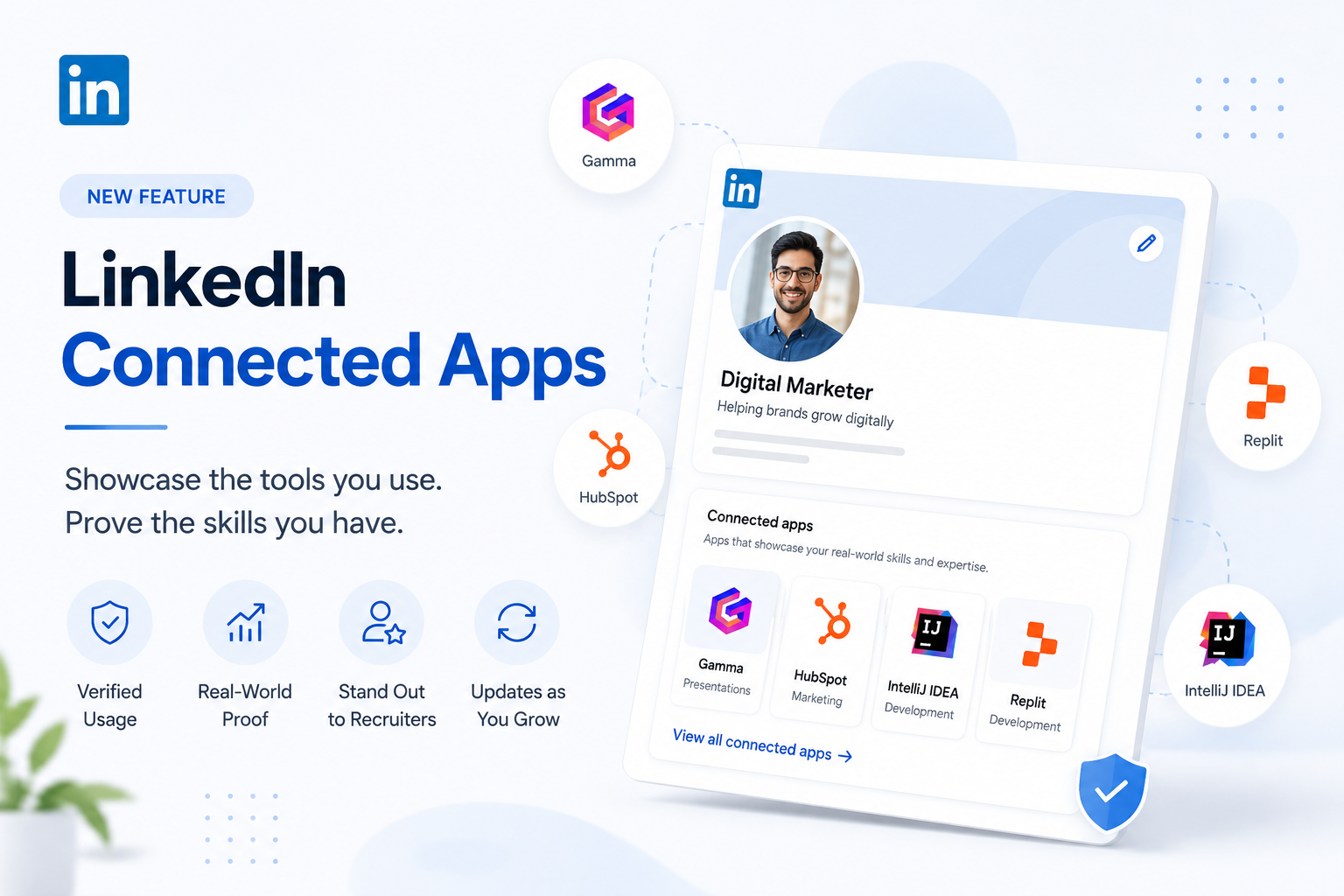
Connected Apps is a section on LinkedIn profiles where participating software products can appear alongside capability information. If you regularly use a supported application, the application can provide LinkedIn with a structured description of the type of work you do with it.
For example, LinkedIn says a connected partner can surface a specific capability statement around HubSpot usage rather than simply showing the word “HubSpot.” The statement is supplied by the participating application and is not simply a sentence the member writes themselves.
How Does the Feature Work?
The basic journey is simple: use a supported application, connect it to LinkedIn, allow the partner to provide the supported capability signal, and the resulting information appears in the Connected Apps section. LinkedIn says the profile information can update as capabilities evolve.
The exact implementation differs between partners. JetBrains, for example, says its LinkedIn Connected Apps plugin tracks supported IDE feature usage locally, assigns a proficiency level, and sends the proficiency level to LinkedIn when the account is connected.
Why Connected Apps Is Different From LinkedIn Skills
Skills are useful because they tell people what you consider to be your professional strengths. Connected Apps adds another layer: evidence from participating products about practical tool usage.
Think of it this way: Skills answer “What do you say you know?” Connected Apps can help answer “What supported tools do you actually use, and what do you use them for?” That distinction could be valuable to recruiters, clients and collaborators.
Why This Matters for Personal Branding
For developers, marketers, designers, sales professionals, product specialists, AI practitioners and automation professionals, software tools are often part of the work itself. A more specific capability signal can therefore communicate more context than a long list of software names.
Connected Apps should not replace projects, case studies, achievements or experience. It works best as one additional layer of evidence inside a well-built professional profile.
Does Connected Apps Improve LinkedIn Ranking?
This is where marketers should avoid overclaiming. LinkedIn says Connected Apps can help members demonstrate capability, stand out to recruiters and build a credible professional brand. However, LinkedIn has not stated that connecting an application is a direct ranking factor in LinkedIn search or that it guarantees additional profile views.
The sensible interpretation is therefore not “connect an app and rank higher.” Think of Connected Apps as a credibility and context signal that supports a broader personal-brand strategy.
What Is the Top User Signal?
Some participating partners can designate highly engaged users as Top Users. LinkedIn describes this as a visible signal that a member is among the most engaged users of that platform.
This should not automatically be described as a formal certification. It is better understood as an additional engagement signal supplied by the participating partner.
Which Apps Are Supported?
The ecosystem is expanding. LinkedIn’s June 2026 announcement referenced early collaborations with Descript, Duolingo, Lovable, Relay.app and Replit and announced a broader group of applications. The screenshot accompanying this article shows Gamma, IntelliJ IDEA, HubSpot and Replit as examples available in the Connected Apps interface.
Availability can change as LinkedIn adds partners, so users should check their own profile rather than assume every application is supported.
Should You Connect Your Apps?
If a supported application is genuinely part of your professional workflow, connecting it can be worthwhile. The goal should be accuracy, not collecting as many app signals as possible.
Connect tools you actually use. Prioritize tools relevant to your professional positioning. Keep your headline, About and Experience sections consistent with the capabilities shown by connected apps. Use the Featured section for actual work samples, case studies and projects. Treat Connected Apps as supporting evidence, not a replacement for experience.
A Stronger LinkedIn Profile Strategy
Connected Apps works best as one piece of a larger profile strategy. A strong profile should answer three questions quickly: What do you do? What have you achieved? What evidence supports your expertise?
Your headline should communicate your focus. Your About section should explain your expertise and approach. Experience should emphasize outcomes rather than only responsibilities. Skills should remain relevant. Featured content should show proof of work. Connected Apps can then reinforce practical usage of supported tools.
What Could This Mean for the Future?
Connected Apps points toward a broader change in professional identity. As work becomes increasingly dependent on digital tools, a list of skills alone may provide less context than a combination of skills, work samples and evidence of practical tool usage.
If more software companies participate, LinkedIn profiles could become more dynamic and more closely connected to the workflows professionals use every day. That does not mean resumes or certifications disappear. It means the professional profile gains another layer of evidence.
Key Takeaways
Connected Apps is designed to show supported, usage-based capability signals.
It is different from simply adding a software name to Skills.
Capability information can update as supported usage evolves.
Some partners can provide a Top User signal.
There is no official LinkedIn statement that Connected Apps directly boosts search rankings.
The strongest profile combines experience, achievements, skills, work samples and credible tool-use signals.
Frequently Asked Questions
What are LinkedIn Connected Apps?
They are supported applications that can connect to a LinkedIn profile and provide capability information based on how a member uses the product.
Are Connected Apps the same as LinkedIn Skills?
No. Skills are profile entries, while Connected Apps can provide partner-supplied capability information tied to supported product usage.
Can Connected Apps verify my professional skills?
They can provide a usage-based capability signal from participating partners. They should not automatically be treated as equivalent to a formal certification.
Will connecting an app increase my LinkedIn profile views?
LinkedIn has not stated that connecting an app directly increases profile views or LinkedIn search ranking.
What is a Top User?
Some participating partners can identify highly engaged users and display a Top User signal on their profile.
Should I connect every available app?
No. Connect tools you genuinely use and that support the professional identity you want your profile to communicate.
